

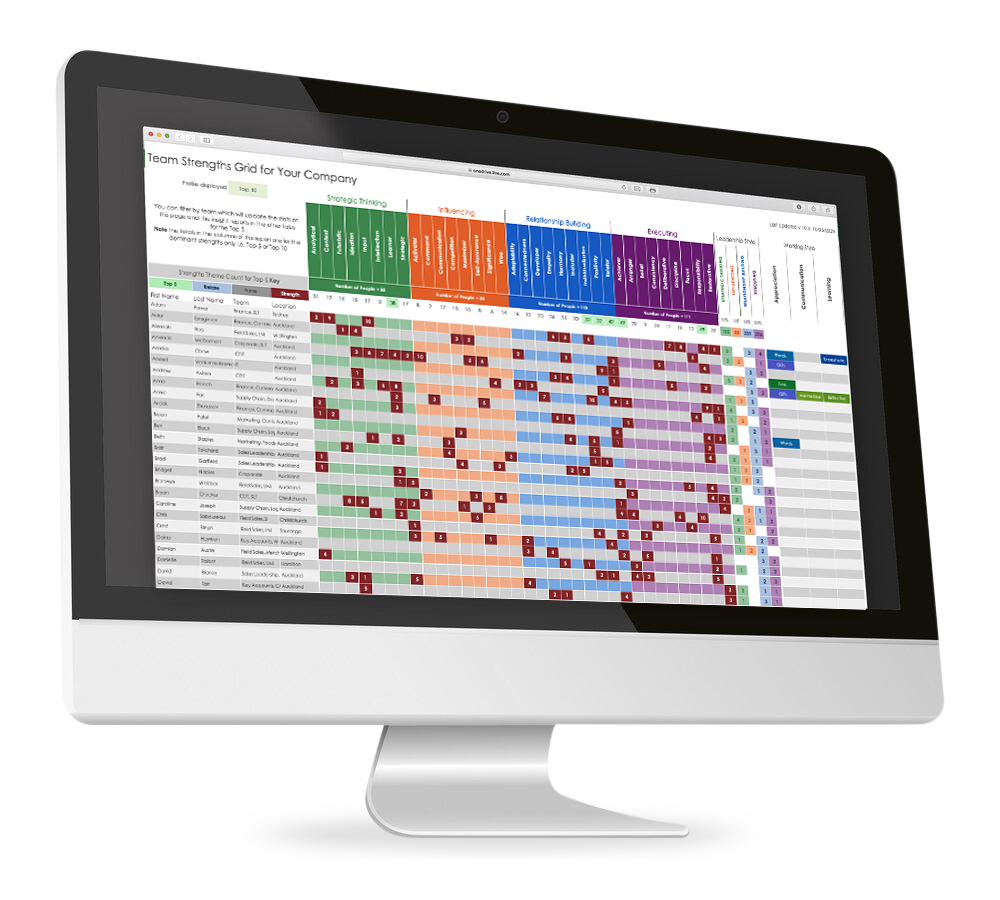
How to Read The Team Strength Grid
Is a tool designed to summarise the talents within a team supported by a number of dynamic reports based on the individual, team, and organisation. This report outlines the WHO and HOW that can support your people strategy. For the WHY and WHAT see the Team Health Check Report.
To gain access to the report plus access to a client portal please get in contact to find out more.
Your Privacy
By completing your CliftonStrengths profile, we assume you’re comfortable with its inclusion in the team strengths grid. This means your teammates will be able to see your results, and you’ll be able to view theirs. If you would like this changed please e-mail hello@jasonbiggs.nz
How to Read the Team Strengths Grid Report
The report includes:
A count of the number of strengths to appear in the team based on the “top 5” strengths results for each team member.
If the cell is green, this means the strength is in the overall top 5 strengths for the team, based on the count of people who have this strength. This indicates a dominance of talent/behaviour within the group.
If the cell is blue, this means that there is only 1 person with this strength. This can mean that when it is used, others may struggle to understand it, because the behaviour is not in common.
If the cell is grey, this means that the strength does not exist within the team. This could indicate potential blind spots where either a partnership or process could be useful to manage this.
If the cell is in grey, this means a strength is in someone's non-dominance (something that is required that is not natural or a blind spot).
For those who have completed the Boss to Coach training and have discovered their preferred Learning, Appreciation, Communication styles. These results form the basis of the Working Styles Report.
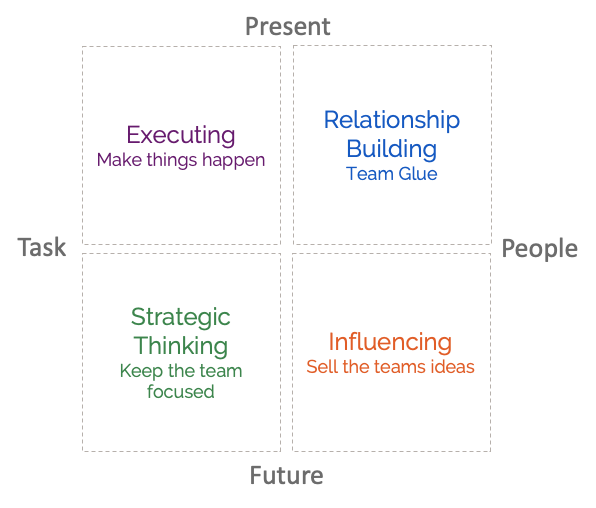
The leadership domains where each individual and team sit, an indication of leadership style and strategic thought preference.
Additional Reports
Filter the Team Strengths Grid to focus on a person or team. The reports below update automatically and follow a natural flow: start with the overview, deepen self-understanding, apply strengths in daily work, sustain performance over time, and support leadership conversations.
-
What it is
A visual summary of the team’s key talent diagnostics. It shows the distribution and dominance of strengths across the four CliftonStrengths domains, based on the Top 5 (or Top 10) strengths of the group.
How to use it
Use this as your orientation map. It helps you quickly see where the team naturally focuses its energy and where there may be gaps or over-reliance. This is the report to reference when setting team priorities, shaping ways of working, and grounding discussions in objective strengths data rather than opinion.
-
What it is
A one-page visual summary of your Top 5 CliftonStrengths.
How to use it
Put it on your desk, wall, or workspace, or share it digitally with your manager and team. It gives others a fast, shared language for how you think, work, and contribute, without you having to explain it.
-
What it is
The full, long-form definitions for each of your Top 5 strengths.
How to use it
This is the depth behind the labels. Read slowly and highlight/underline any statements that resonate with you, cross out what doesn’t matter and circle any meaningful words.. Use this as your reference point for coaching sessions, development planning, and strengths conversations.
-
What it is
A practical language guide that helps you describe what you naturally contribute through your strengths.
How to use it
Use this when you need words. It is ideal for CVs, LinkedIn profiles, development plans, and strengths introductions. Combine adjectives and nouns to create clear statements of value.
-
What it is
A guide that surfaces what drives, frustrates, and energises each of your strengths.
How to use it
Use this to understand what you need in order to do your best work. It is especially useful for shaping workload, setting boundaries, and explaining why certain environments lift you up or drain you.
-
What it is
A self-diagnostic guide showing how your strengths help others when well-applied and how they can hinder when overused or under-supported.
How to use it
Use this to spot patterns rather than judge behaviour. It helps you identify when a strength needs support, recovery, or a different outlet. Valuable for feedback and reflection.
-
What it is
A paired view of what you contribute through your strengths and what those same strengths need to thrive.
How to use it
Use this to create clarity with others. It supports working agreements, role design, and reduces friction by making needs explicit and normal.
-
What it is
A guide to the natural energy of your strengths, showing what fuels them and what depletes them over time.
How to use it
Use this to manage energy rather than effort. It helps you recognise which activities sustain you and which quietly drain you, especially
-
What it is
A practical guide to keeping your strengths healthy and effective over time.
How to use it
Think of this as maintenance for your talent. Use it to build habits, rhythms, and boundaries that allow you to perform well without burning out, particularly under sustained pressure.
-
What it is
Originally written for US college students, a strengths-based exploration of career environments and roles linked to each theme.
How to use it
Use this as a thinking tool rather than a prescription. It helps you reflect on what kinds of work, environments, and responsibilities are more likely to fit your strengths.
-
What it is
A guide for leaders on how to get the best from someone by working with their strengths.
How to use it
Use this to support everyday leadership and performance conversations. It helps managers motivate, support, and stretch people in ways that feel natural rather than forced. Also useful for managing up.
-
What it is
A concise glossary of all 34 CliftonStrengths and the four domains.
How to use it
Use this as a quick lookup when reading other reports or when a strength comes up in conversation and you want a fast reminder.
How to Use These Reports
Filter the team strengths grid for either the individual, team, or total organisation
All reports will automatically update for the "Top 5" strengths.
Print the relevant report and highlight any statements that resonate, cross out what doesn’t matter, and circle any meaningful words.
To debrief insights with the team or team member, use this discussion guide